The Ministry of Digital Transformation of Ukraine and UNDP released the annual government website accessibility monitoring results, highlighting Kitsoft projects as top performers. High inclusivity scores were achieved thanks to systematic solutions: a component library based on the low-code platform Liquio and the Accessibility Retrofit methodology for inclusive website updates.
For us, digital accessibility is a sign of respect for every citizen. When the need for inclusive solutions grows, public services must not be an exception—they should be the foundation of a modern digital state.
The annual monitoring results confirmed that the projects our team developed are among the most inclusive in Ukraine. The highest-rated portals include:
- Diia.Accessibility
Ministry for Communities, Territories and Infrastructure of Ukraine
Ministry of Youth and Sports of Ukraine
Ministry of Education and Science of Ukraine
National Police of Ukraine
Diia – Unified Public Services Portal
High scores also reflect the daily work of ministry content managers. While we provide the technical “foundation,” our partners add image descriptions, structure text logically, and prepare accessible documents.
How we achieved accessibility for millions of users?
- Inclusive components – We created a library of ready-to-use inclusive elements on the Liquio platform, including buttons, menus, and forms with proper semantic structure. This toolkit speeds up government website creation and is available in the client package Gov-UA.
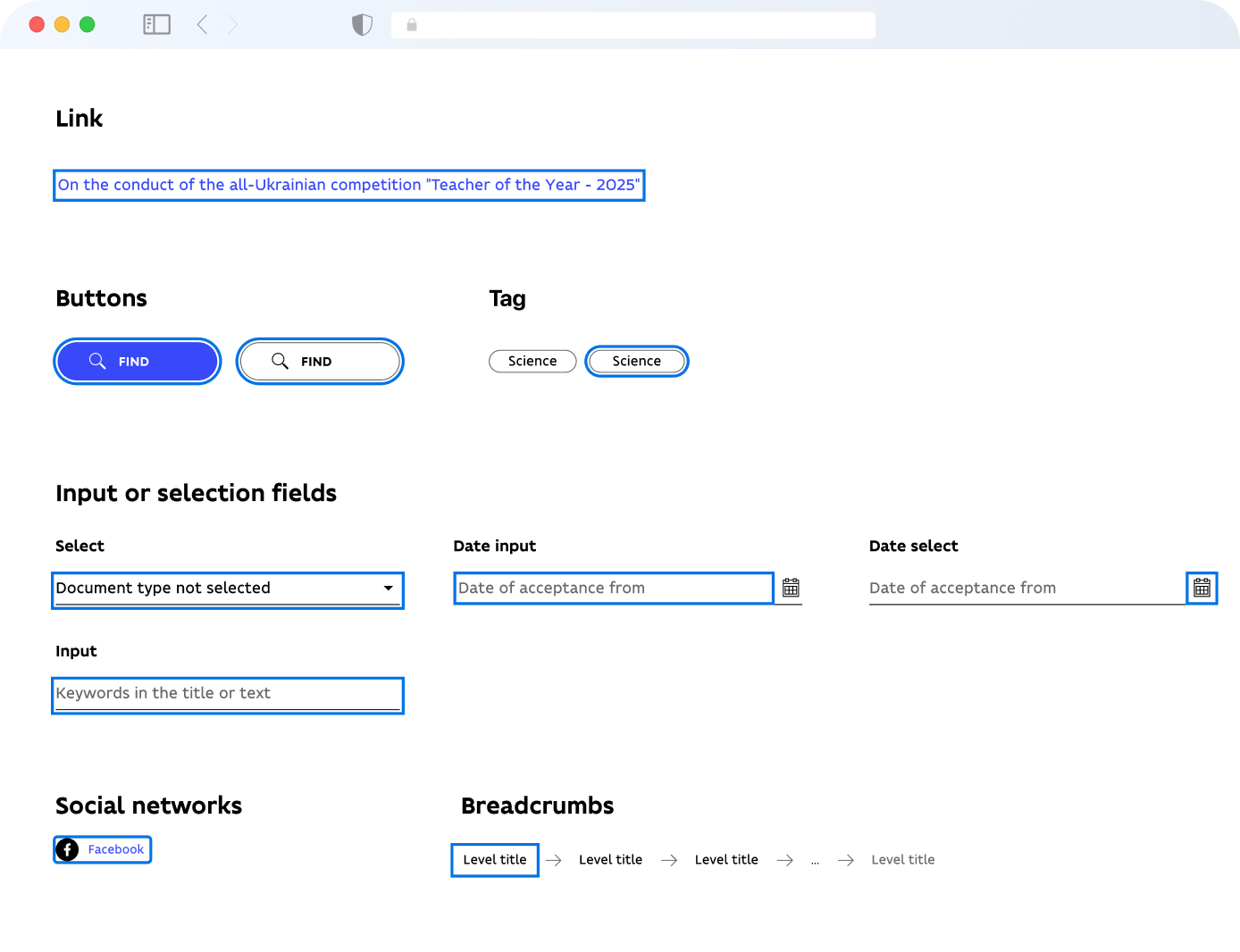
Image: Focus state of inclusive elements on the Liquio platform
- Accessibility Retrofit methodology – Each project received a tailored approach based on its technical status. Portals like Diia.Accessibility and the Ministry for Communities were built from scratch with accessibility requirements from the design phase. Existing websites underwent technical modernization, integrating new standards without disrupting ongoing services.
We applied state-standard requirements at every stage of development and testing: revising design system components, adjusting color contrast, structuring headings, and ensuring proper keyboard navigation. When previous solutions didn’t meet standards, we redesigned interfaces entirely, making them fully inclusive and user-friendly.
- Content with a “voice” – We implemented digital cues and shortcuts that allow assistive technologies (screen readers) to navigate interfaces effectively. People who cannot see the screen or rely solely on the keyboard can quickly access services. For example, a screen reader clearly announces: “registration button” or “news headline.”
We help the government stay open to everyone. Maintaining website accessibility is an ongoing process, and we continue collaborating with state teams to ensure these digital spaces remain convenient and accessible for every citizen every day.